How to host your Protfolio using Github for free💥
In this blog, you will learn
How to build your own portfolio website? How to host your website on GitHub Pages for FREE? You can showcase this portfolio on your resume. So let’s get started!!
Create a portfolio web site as first
VS Code editor for editing your files
Uploading into a GitHub Repository Finally your files now needs to be pushed into a new GitHub repository and has to be hosted using GitHub Pages. To push your portfolio website’s necessary files in GitHub follow the given steps:
Login on https://github.com/ and click on New option in left side pane right next to repositories.
Click on New option
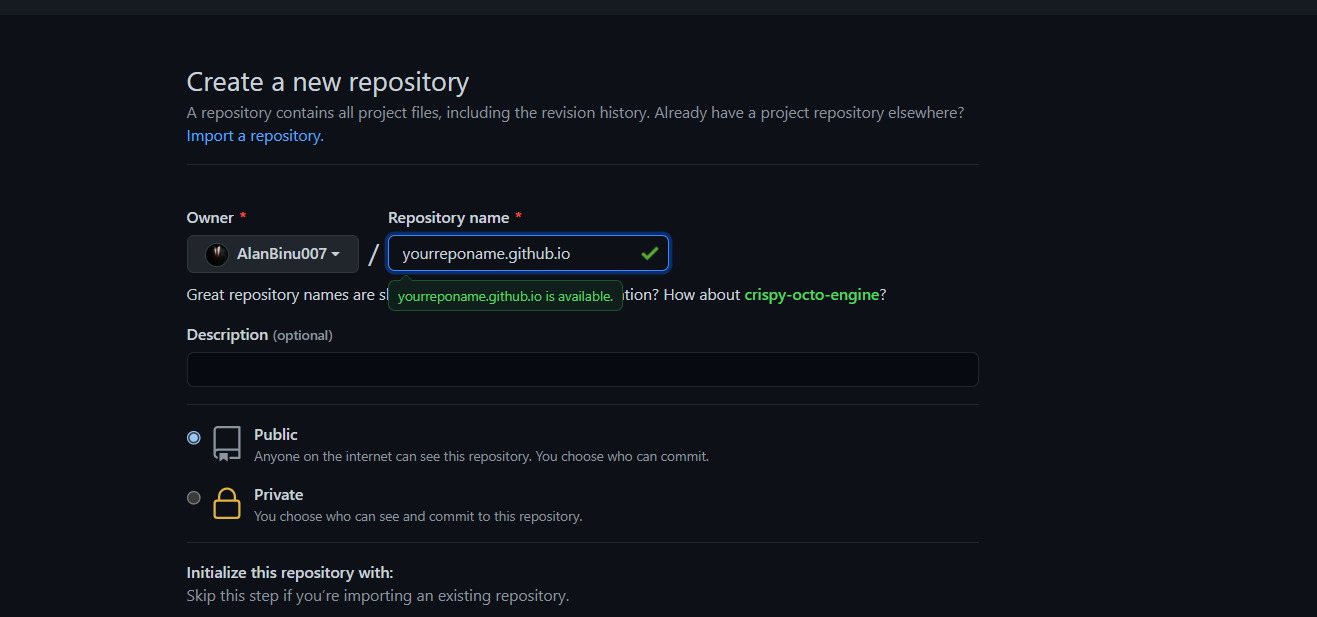
Name the repository as ‘your-username.github.io’. (For example, if your username is alanbinu007 then name the repository as alanbinu007.github.io). Click on Create Repository.
Enter the necessary details and click on Create Repository
You can upload all the necessary files from your computer in two ways:
Using in-browser GitHub Website Drag/Upload Option
Click on Upload Files option from your newly created repository. Select the option Choose your files to upload them from your local computer. Or just Drag and Drop the folders on this screen.
Upload the necessary files and click Commit Changes
Change the current working directory to your local project. Initialize the local directory as a Git repository.
$ git init Add the files in your new local repository. This stages them for the first commit. $ git add .
Commit the files that you’ve staged in your local repository. $ git commit -m “First commit”
At the top of your GitHub repository’s Quick Setup page, click Clipboard icon to copy the remote repository URL.
Pushes the changes in your local repository up to the remote repository you specified as the origin Hosting Using GitHub Pages
Now go to Settings tab which is present right above and scroll down to look for GitHub Pages option. Now select master-branch in Source drop-down and a notification will be visible stating that you are ready to publish your site in a minute or two.
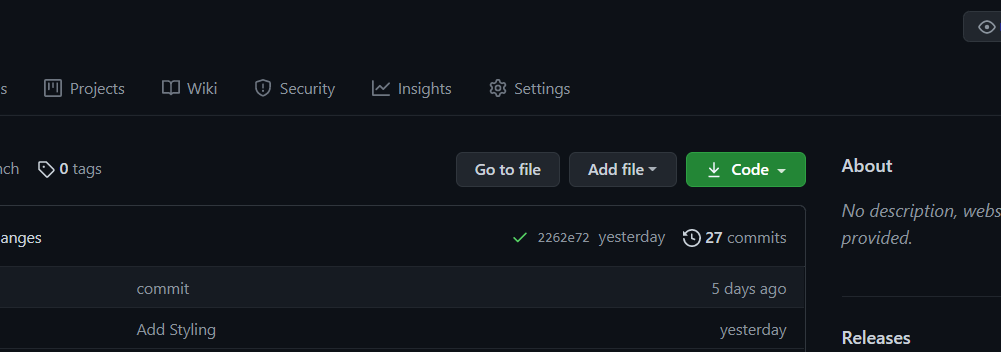
Click on that notification hyperlink and there you go.. Your portfolio is hosted on GitHub pages for free!
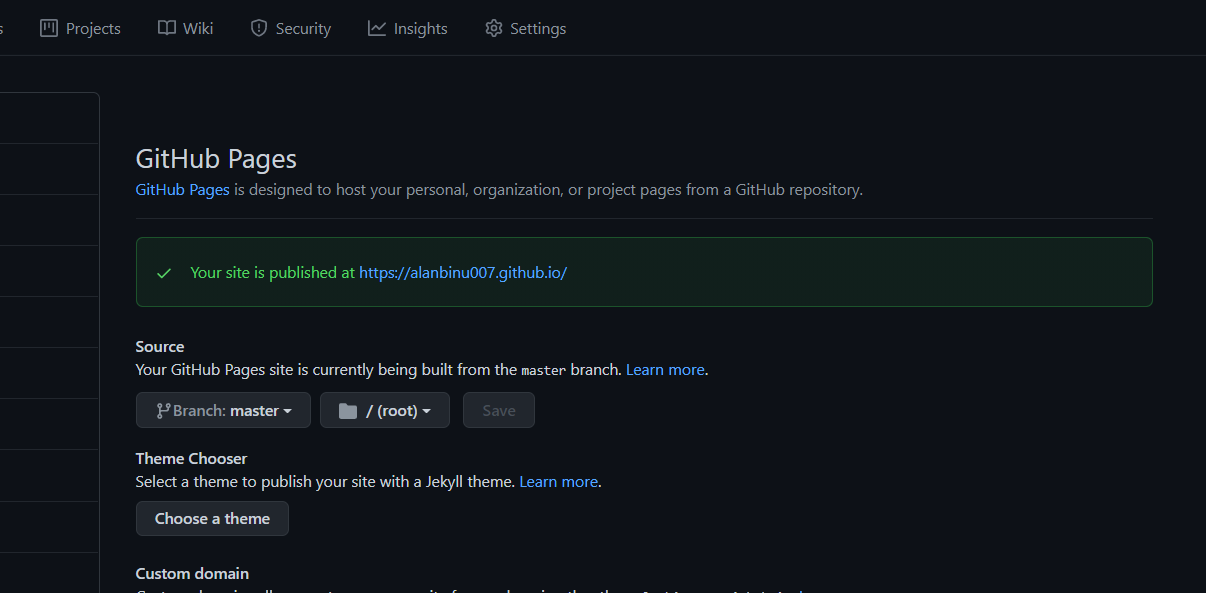
Your personal portfolio website is published at https://.github.io
You can take a look at mine here – https://alanbinu007.github.io/
Attention reader! Don’t stop learning now. Get hold of all the important DSA concepts with the DSA Self Paced Course at a student-friendly price and become industry ready.


